docker ps
docker logs
docker inspect
docker restart
docker stats 

Manage Docker Containers From Your Terminal

Terminal-Native Docker Explorer

Inspect containers, view logs, monitor runtime metrics, and manage Docker workloads directly from your terminal.

Download the latest release or explore the source code on GitHub.

Python Textual Docker SDK Rich PyInstaller

Everything You Need For Local Docker Operations

A lightweight terminal-native interface for inspecting, managing, and monitoring Docker containers.

⚙️

Container Management

Start, stop, restart, pause, unpause, and remove containers directly from Dockyard.

📜

Live Logs

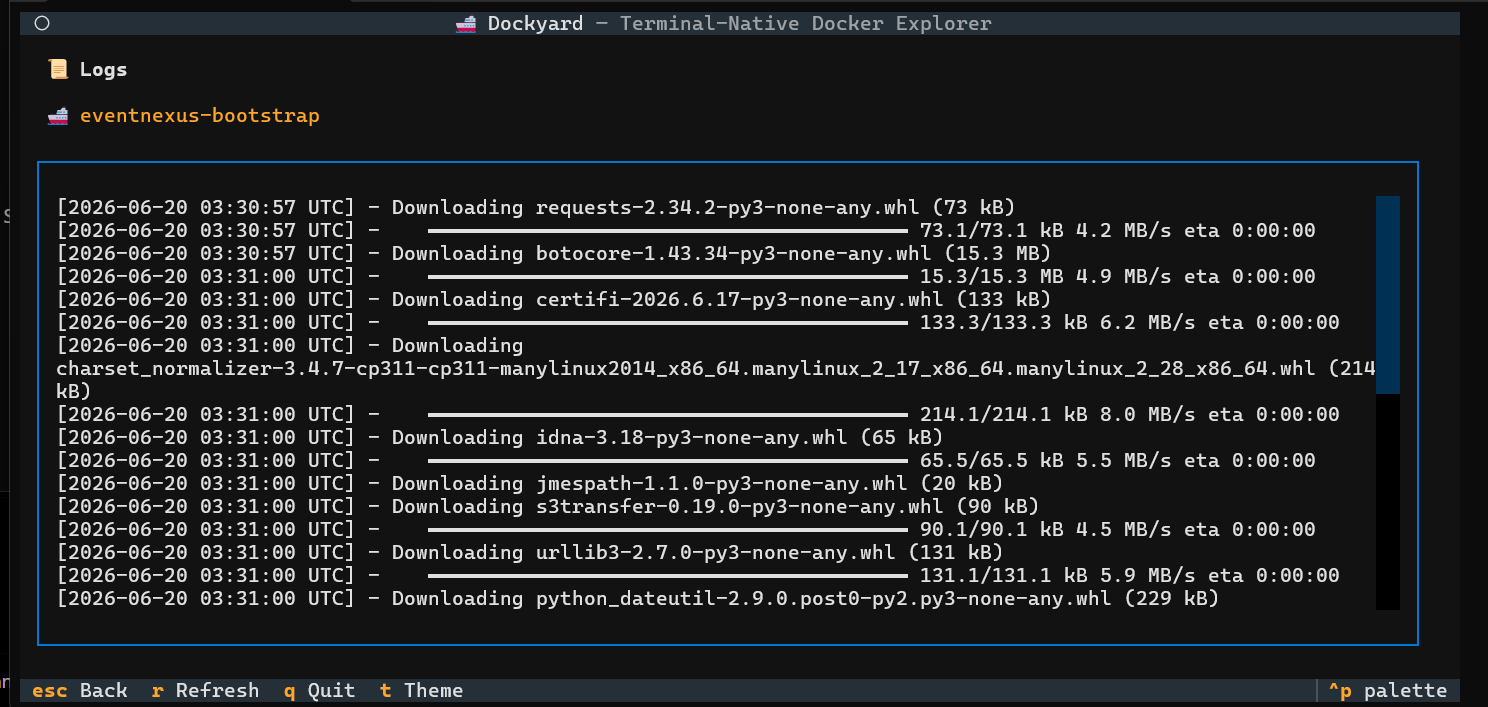
Inspect container logs without switching between multiple terminal commands.

📊

Runtime Metrics

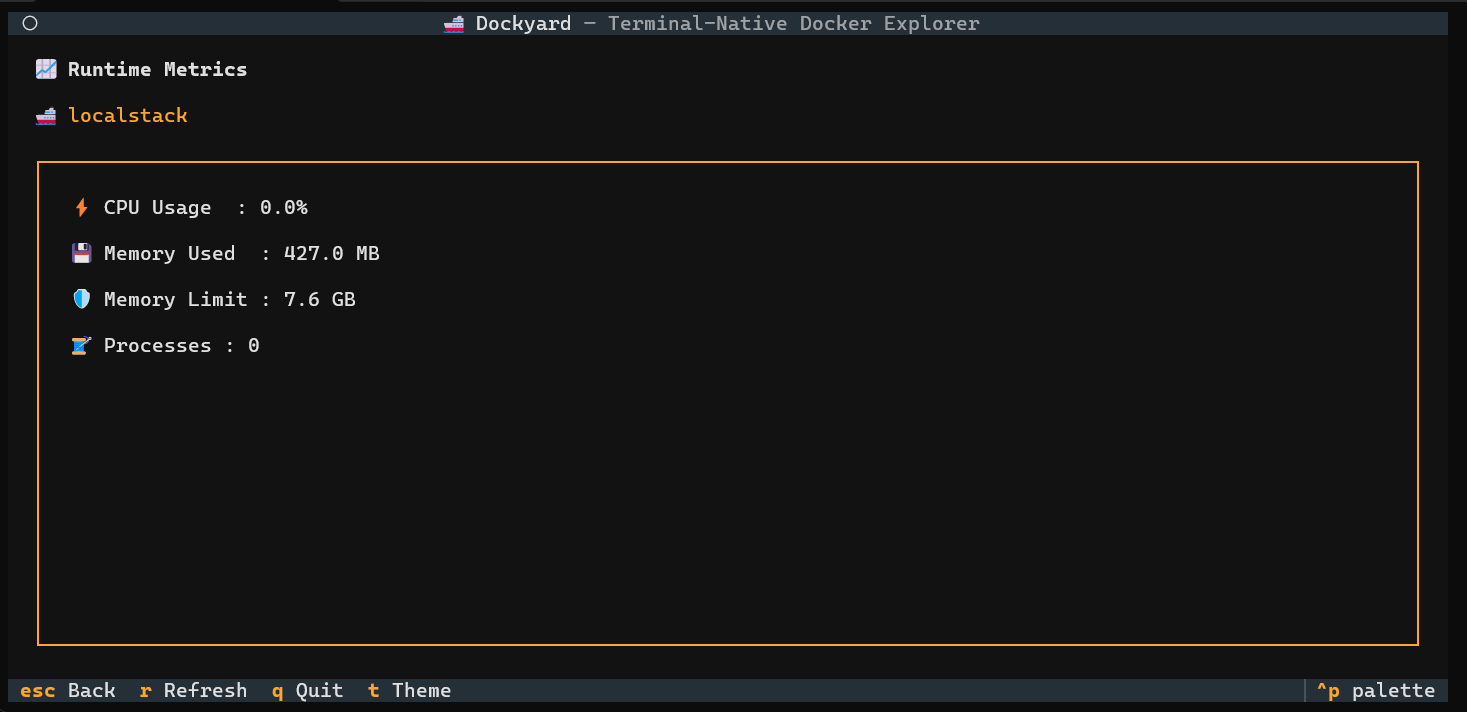
Monitor CPU usage, memory consumption, limits, and process count in real time.

⌨️

Keyboard First

Built for developers who prefer terminal-centric workflows.

See Dockyard In Action

Explore the terminal-native interface through real screenshots captured from the application.

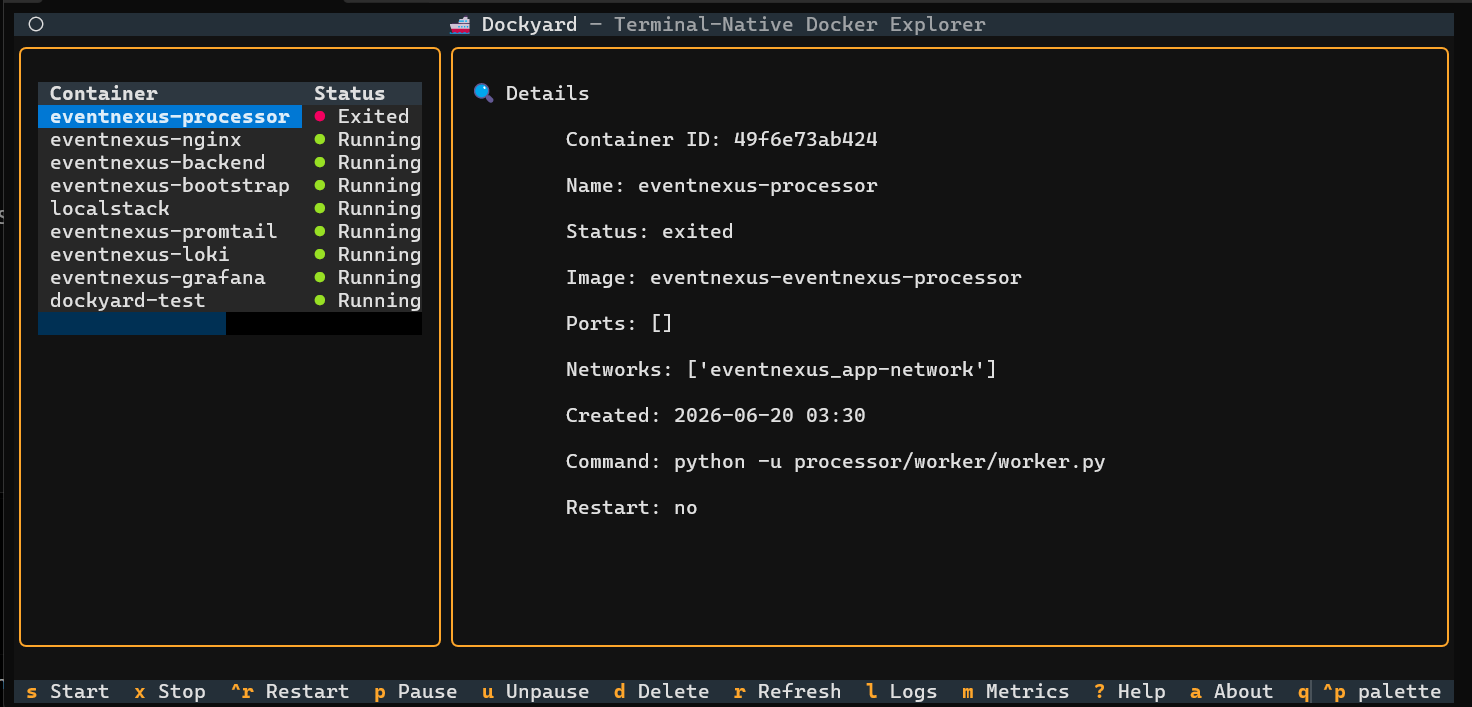
Dashboard Screenshot

Dashboard

Logs Screenshot

Logs Viewer

Metrics Screenshot

Runtime Metrics

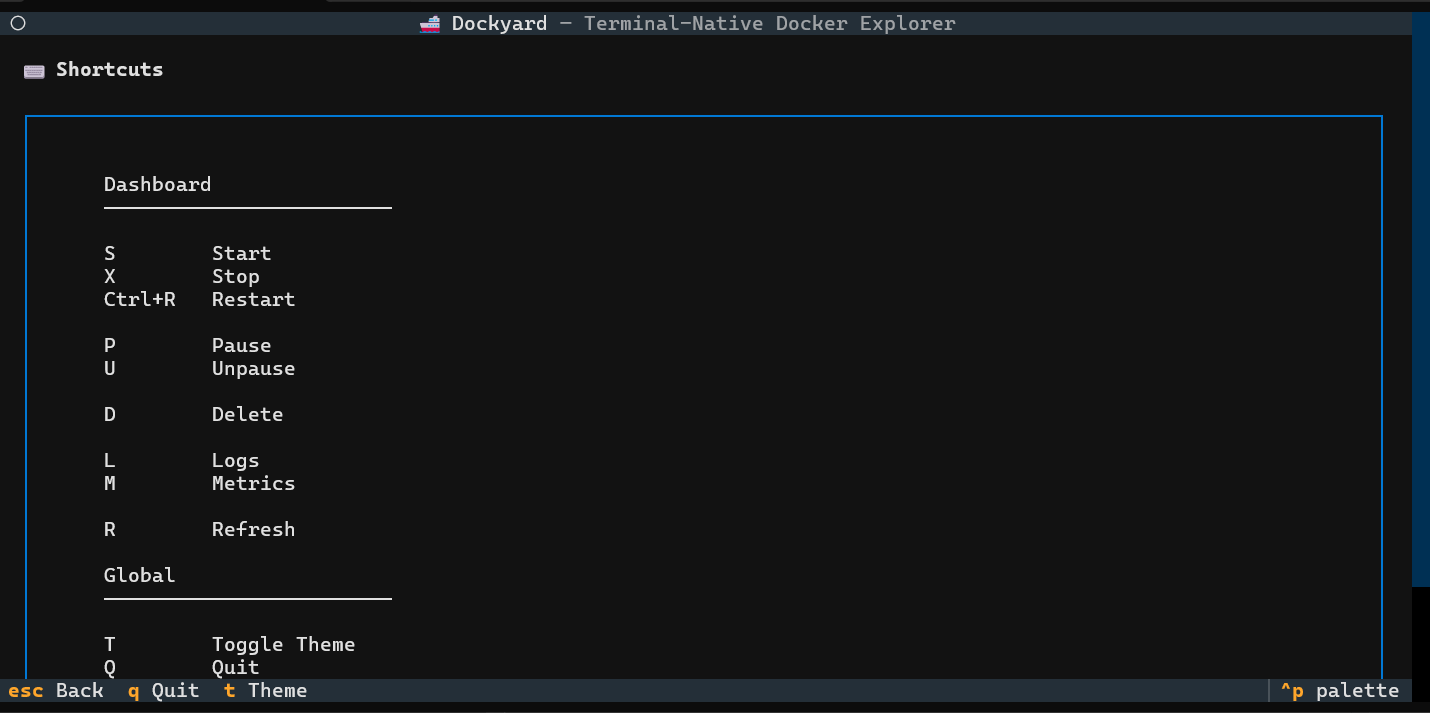
Help Screenshot

Help Screen

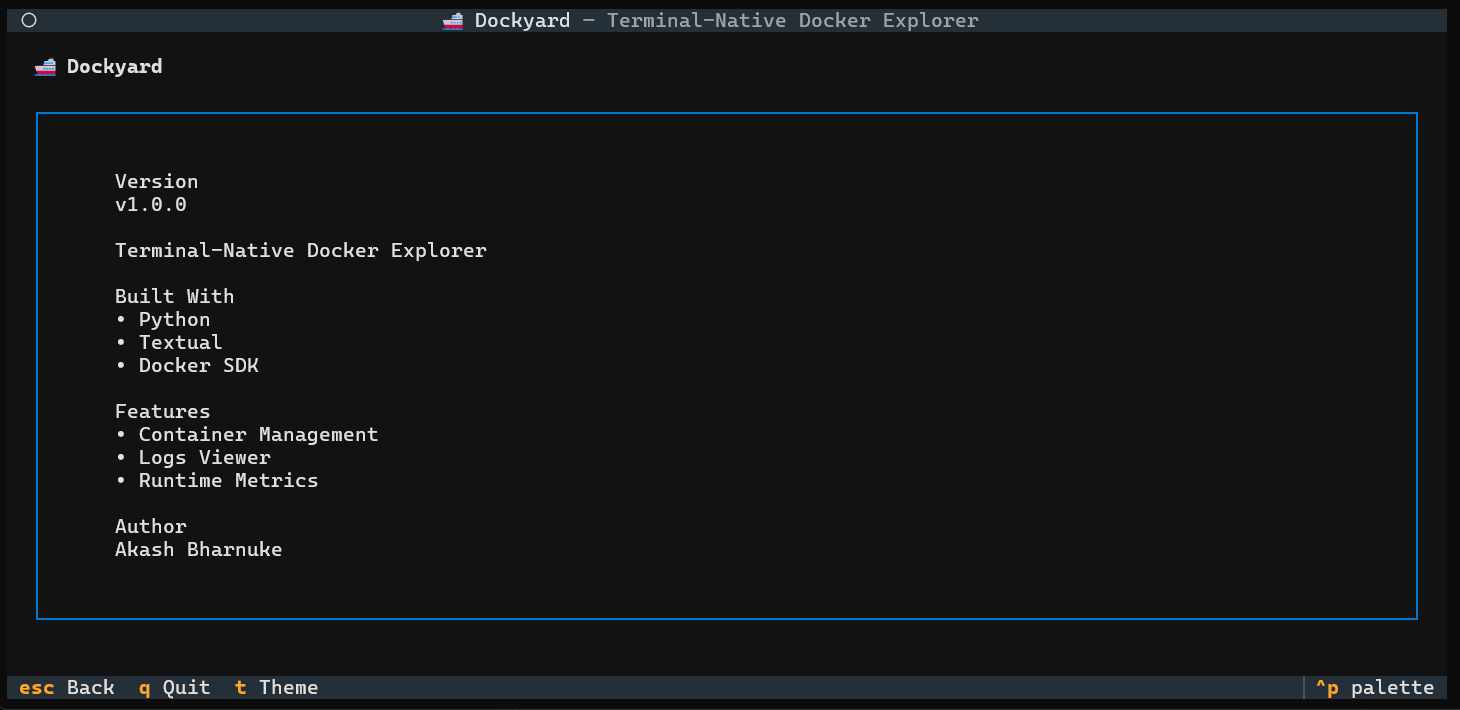
About Screenshot

About Dockyard

A Better Docker Experience Inside The Terminal

Docker provides powerful CLI tools, but common workflows often require switching between multiple commands such as docker ps, docker logs, docker inspect, and docker stats.

Dockyard was built as a learning project for Textual and Docker SDK integration, but evolved into a practical terminal-native utility that combines container management, logs, runtime metrics, and operational workflows into a single interface.

🚢 Terminal-Native UX
🐳 Docker SDK Integration
📜 Logs Viewer
📊 Runtime Metrics
⌨️ Keyboard First
⚡ Standalone Executable

2-minute walkthrough of Dockyard's core features.

Architecture

Built using Python, Textual, and the Docker SDK, Dockyard follows a layered architecture that separates interface, application logic, and Docker operations.

🖥️

Textual UI

Interactive terminal interface built using Textual.

⚙️

Application Layer

Handles navigation, state management, and workflows.

🐳

Docker Service

Central abstraction layer for Docker operations.

📦

Docker SDK

Official Python SDK used to communicate with Docker.

🚢

Docker Engine

The underlying container runtime on the host machine.

Journey From Sprint 0 To Sprint 5

Dockyard started as a Textual learning project and gradually evolved into a complete terminal-native Docker operations tool.

Sprint 0 — Discovery

Defined the product vision, selected Textual and Docker SDK, and explored terminal UI architecture.

Sprint 1 — Container Discovery

Integrated Docker SDK and built the first dashboard capable of listing Docker containers.

Sprint 2 — Details Panel

Added container inspection and synchronized state between UI components.

Sprint 3 — Container Actions

Introduced lifecycle actions including start, stop, restart, pause, unpause, and deletion workflows.

Sprint 4 — Observability

Implemented logs viewer, runtime metrics, CPU calculations, and resource monitoring.

Sprint 5 — Productization

Added polish, packaging, help screens, standalone executable generation, documentation, and release readiness.